How to Connect Awash Bank Account with Fayda ID

Last updated on June 29th, 2026 at 12:58 am
The procedure to connect your Fayda ID to Awash Bank account is simple. You do not need to visit the bank physically. Just visit Awash International Bank’s official Fayda ID Connect page. Link is given at the end of this article.
After opening the Awash International Bank Fayda Connection page, Click “Harmonize My Account “. You will be asked to verify your identity. Click ” Verify Identity “. To verify your identity, you can log in either through biometrics (fingerprints, iris, or face) or through OTP/Code. Enter your 12-digit FIN (Fayda Identification Number). Click either “Log in with Biometrics” or “Log in with Code”. OTP/Code will be sent to your registered mobile number or email. Enter the code. You will be asked to allow Awash International Bank to have access to your data including your name, date of birth, address etc. Click Yes. Enter your Awash bank account number to connect to Fayda.
Never share your OTP with anyone. Always connect your Fayda ID to Awash bank by using the following official page of Awash Bank: https://fayda.awashbank.com/en
How to Connect Fayda with Telebirr?
Connect Cooperative Bank of Oromia COOP with Fayda


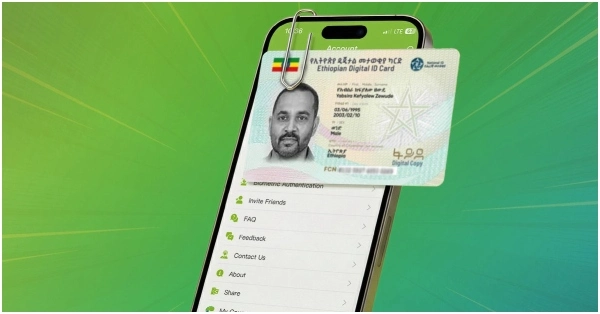


fayda ID
Fekade
Comment awaiting moderation.
I want connect with fayda id with my account
Did you follow the steps I mentioned in the article?
It’s good for our country controlling illegally control
Why it not connect fayda National Id is there system happened or what
How to link with awash bank with fayida id
fayda id
How connect fsyida with joint account
Link awash bank account
Fayda updated
Connect fayida
Faida update
No
I am unable to connect my national id with my account
014251420586600
1
014251420586600
5927639784517081
Hkkl
1
for you
Comment awaiting moderation.
yechjj
you
A
Gdhh
Ugy
Akkaawonti narraa cufame akka naaf laaltan isin gaafadha kabajaan
Fayda connection
[email protected]
[email protected]
A
672065815042